




Skip to content

STEM & Academic Learning Programs

Manage enrollment, waitlists, payments, and rosters for STEM and academic programs — all in one place.

Illustration

Simplify STEM and Academic Program Enrollment

Running a STEM or academic learning program requires precision, from scheduling complex courses to managing student progress. SwiftEnroll provides comprehensive academic program registration software designed to eliminate administrative bottlenecks, allowing you to focus on delivering high-quality education.

Whether you offer coding bootcamps, robotics workshops, language classes, or specialized tutoring, our platform adapts to your unique scheduling and enrollment needs.

Why Academic Programs Choose SwiftEnroll

Flexible Course Scheduling and Sessions

Set up multiple course sessions, per-class pricing, and specialized workshops. Parents can easily select the classes they need for each student and check out in a single transaction.

Automated Waitlists and Lotteries

High-demand STEM classes fill up fast. Our automated waitlist system takes the stress out of capacity management. When a spot opens up, the next family in line is automatically notified. For highly competitive programs, use our fair lottery system to ensure equitable access.

Secure Payments and Installments

Collect payments securely via Stripe. Offer flexible payment plans and require deposits — families are only charged when they accept a spot, and charges can wait until a class reaches minimum enrollment — while automated balance reminders mean you never have to chase down payments again.

Comprehensive Roster Management

Generate real-time rosters, track attendance, and manage important student information. Export data easily to share with instructors and staff.

A Better Experience for Parents

Parents love SwiftEnroll because it saves them time. With household accounts, parents can enter their information once and register multiple children for different courses in minutes. The mobile-friendly design means they can sign up from anywhere, on any device.

Frequently Asked Questions

See SwiftEnroll in action

Request a quick walkthrough tailored to your programs.

Built for Real-World Programs

Set your season up once, let registration and waitlists run by your rules, and keep rosters, attendance, and family email in one place - without extra spreadsheets.

Flexible Course Scheduling

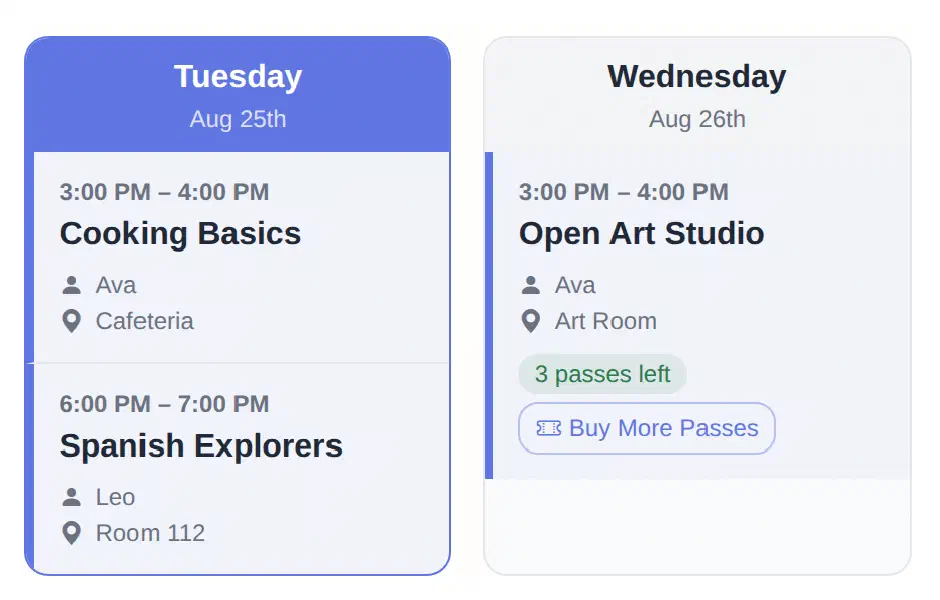
Set the term up once: create your classes, generate every session date in bulk, set capacity and grade limits, then publish a schedule families can read at a glance.

  • Bulk session generation
  • Duplicate to roll a term forward
  • Capacity & grade-level limits
  • Public schedule families can read
See Scheduling
Students building a robotics project in an after-school session
SwiftEnroll family schedule showing Tuesday and Wednesday columns with class times, rooms, instructors, and a class pass balance
Children walking into school with backpacks at the start of a session
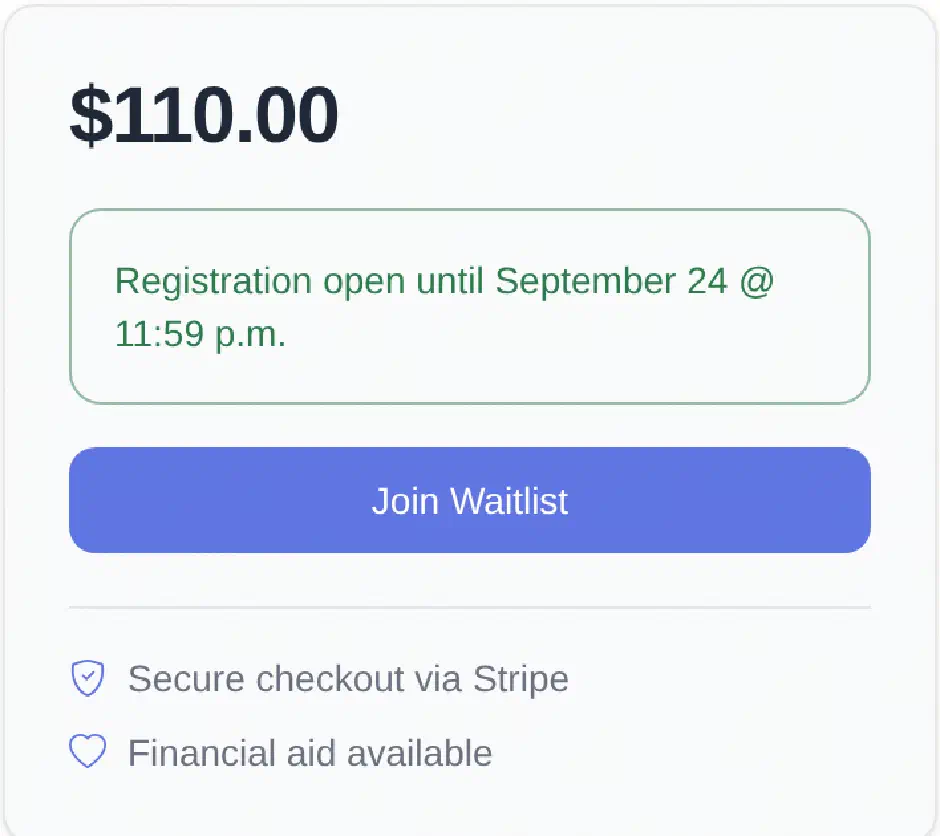
SwiftEnroll class registration panel showing the price, the registration deadline, a Join Waitlist button, and notes on secure Stripe checkout and financial aid
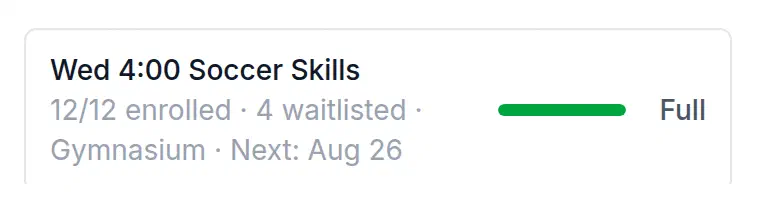
SwiftEnroll capacity meter showing a class at 12 of 12 enrolled with 4 waitlisted, marked Full

Automated Waitlists

Registration runs by your rules - first come, first served or a fair lottery - with grade and age eligibility and registration deadlines enforced at signup. Families who miss out join an ordered waitlist, see their position, and are promoted automatically when a spot opens.

  • Lottery or first-come, first-served
  • Ordered waitlists with visible position
  • Automatic promotion when a spot opens
  • Registration deadlines & financial aid requests
See Registration

Course Rosters & Attendance

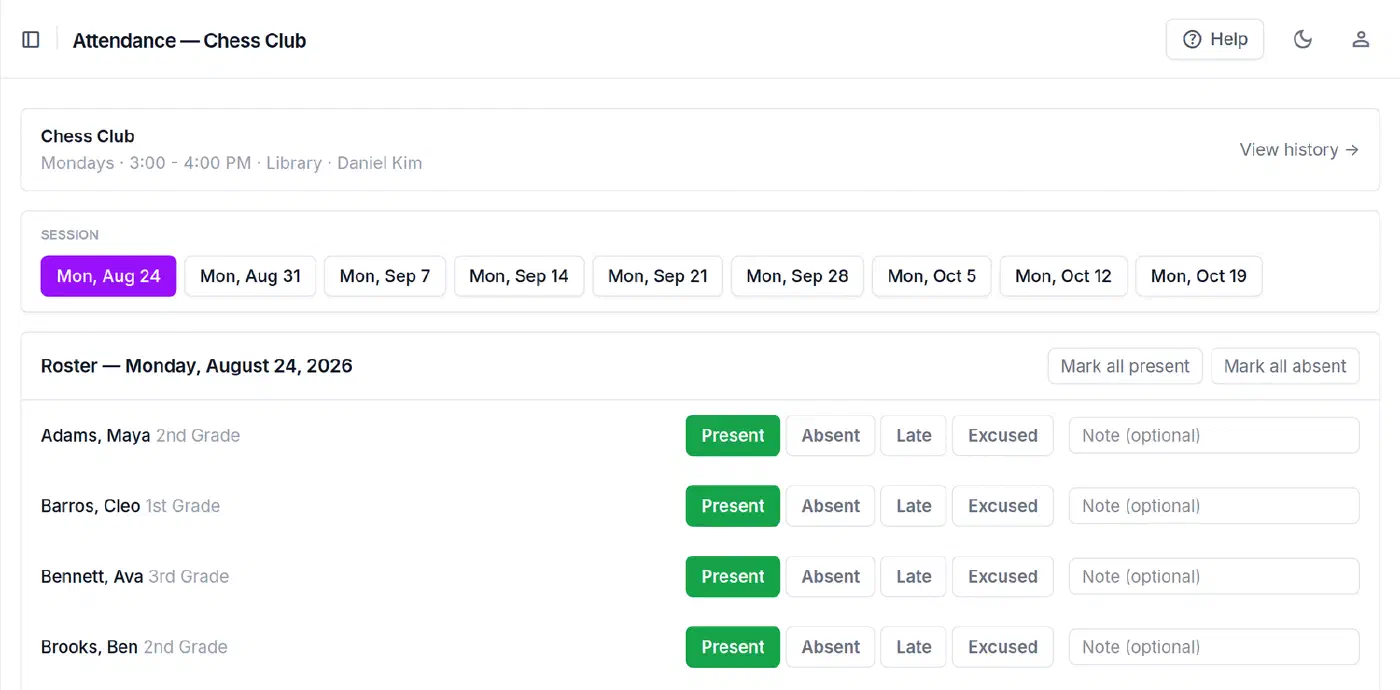
Take attendance right from the roster, keep a record of every change, export rosters and enrollment reports as CSV, and let SwiftEnroll send the routine family emails for you.

  • Class rosters at a glance
  • Attendance with a change history
  • CSV exports & reports
  • Automated family email
Explore Operations
A program administrator working at a laptop
SwiftEnroll attendance roster for Chess Club showing each student marked Present, Absent, Late, or Excused for the selected session

From the blog

Practical guides for programs like yours.

Ready to level up STEM enrollment?

Handle prerequisites, materials fees, and capacity limits — automatically.

No credit card required Free for non-profits Handles complex course structures