Skip to content

Dance Studios

Manage season-long class enrollment, recital fees, multi-dancer households, and monthly tuition — all in one place.

Illustration

Registration Software Built for How Dance Studios Actually Run

A dance studio sells a season, not a ticket. Families enroll in September, hold the same Tuesday 4:15 spot through May, pay monthly tuition, and often have two or three dancers in different classes on different nights. Most registration tools aren’t built for that — which is why so many studios are still stitching together forms, spreadsheets, and a payment app.

SwiftEnroll is dance studio registration software designed around the real structure of a dance season: level-based class rosters, automatic monthly billing, recital fee collection, and household accounts that let a family manage all their dancers in one checkout.


Why Dance Studios Choose SwiftEnroll

Season-Long Class Enrollment With Level Controls

Set up every class with its own schedule, pricing, age range, and capacity — and enforce them automatically. Ballet III won’t accept a beginner because the form knows the difference. Parents choose from the catalog and check out in a single transaction, even across multiple classes and genres.

Automated Waitlists

Your 4:15 slots fill first. When a class reaches capacity, SwiftEnroll automatically waitlists new registrants and notifies the next family the moment a spot opens — with a deadline to claim it. No notebook at the front desk, no families falling through the cracks.

Monthly Tuition and Flexible Payment Plans

Collect a deposit or first month’s tuition at registration, then auto-draft installments through the season via Stripe. Families see one predictable payment; you stop chasing late payments. Lesson packs and class-pass bundles work alongside monthly plans for drop-in instruction — passes are consumed automatically by attendance.

Recital Rosters and Fee Collection

Attach costume fees to class enrollment so they’re collected once, on time, without a separate invoice run. Export rosters per class with a single click — your costume orders and stage line-ups come straight from them. Add a recital rehearsal and message exactly those families without blasting your whole list.

One Family, Three Dancers, One Checkout

Dance is a family activity. Studios routinely have households with two or three dancers spread across different genres, levels, and nights. A parent managing that through a form-based system fills out the same information repeatedly and gets a separate confirmation and invoice for each child.

SwiftEnroll’s household accounts collapse all of that into one login: every dancer, every class, one combined checkout. Multi-dancer families are usually your most loyal and highest-revenue households — you should be able to see them as households, not as five disconnected records that happen to share a phone number.

Frequently Asked Questions

See SwiftEnroll in action

Request a quick walkthrough tailored to your programs.

Built for Real-World Programs

Set your season up once, let registration and waitlists run by your rules, and keep rosters, attendance, and family email in one place - without extra spreadsheets.

Season-Long Class Enrollment

Set the term up once: create your classes, generate every session date in bulk, set capacity and grade limits, then publish a schedule families can read at a glance.

  • Bulk session generation
  • Duplicate to roll a term forward
  • Capacity & grade-level limits
  • Public schedule families can read
See Scheduling
Students building a robotics project in an after-school session
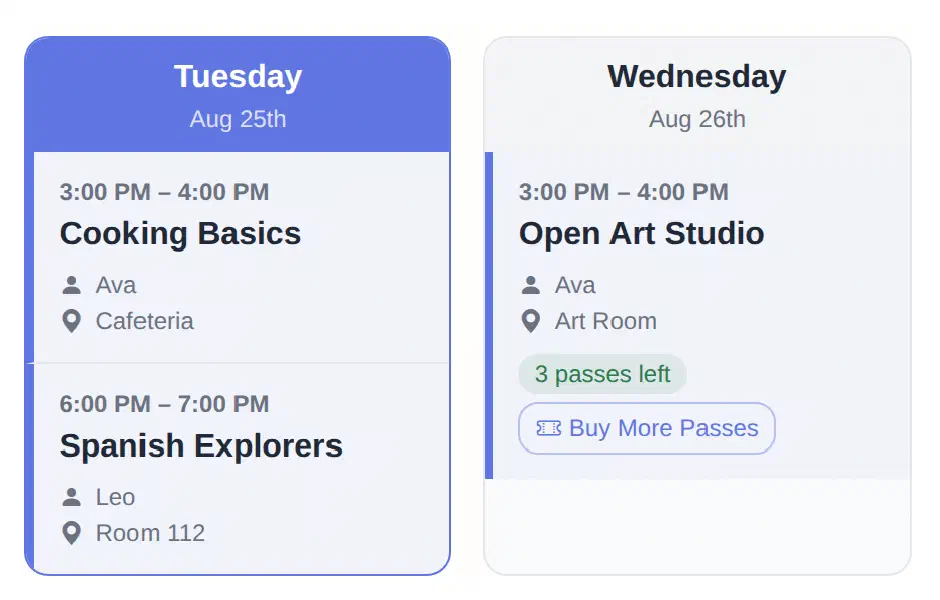
SwiftEnroll family schedule showing Tuesday and Wednesday columns with class times, rooms, instructors, and a class pass balance
Children walking into school with backpacks at the start of a session
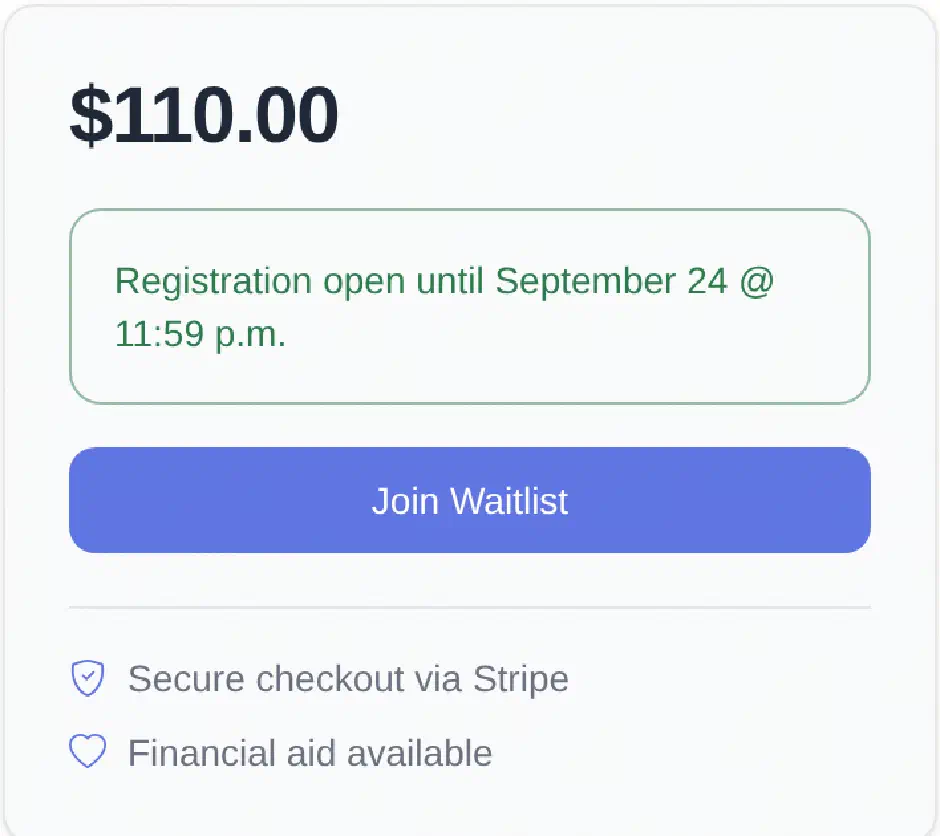
SwiftEnroll class registration panel showing the price, the registration deadline, a Join Waitlist button, and notes on secure Stripe checkout and financial aid
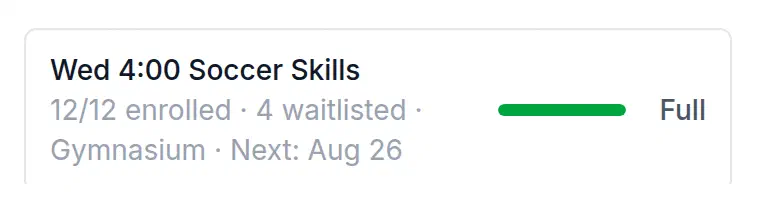
SwiftEnroll capacity meter showing a class at 12 of 12 enrolled with 4 waitlisted, marked Full

Automated Waitlists

Registration runs by your rules - first come, first served or a fair lottery - with grade and age eligibility and registration deadlines enforced at signup. Families who miss out join an ordered waitlist, see their position, and are promoted automatically when a spot opens.

  • Lottery or first-come, first-served
  • Ordered waitlists with visible position
  • Automatic promotion when a spot opens
  • Registration deadlines & financial aid requests
See Registration

Recital & Roster Management

Take attendance right from the roster, keep a record of every change, export rosters and enrollment reports as CSV, and let SwiftEnroll send the routine family emails for you.

  • Class rosters at a glance
  • Attendance with a change history
  • CSV exports & reports
  • Automated family email
Explore Operations
A program administrator working at a laptop
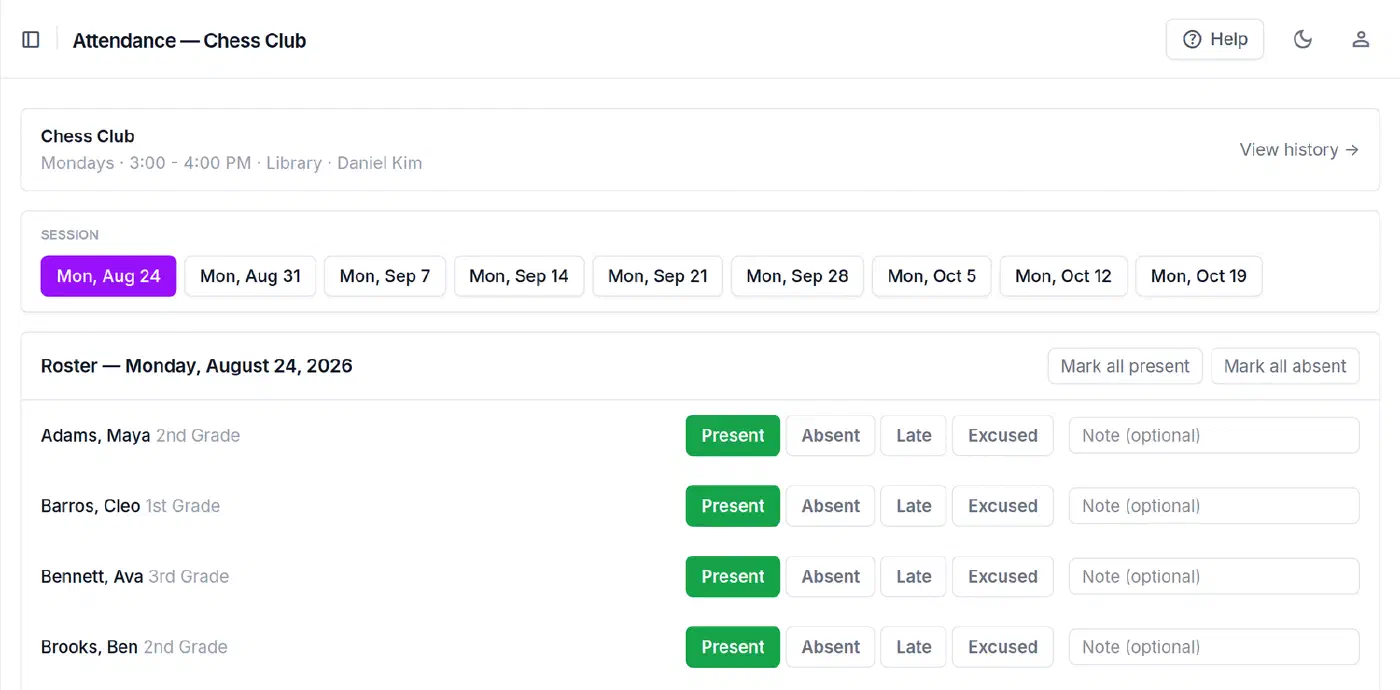
SwiftEnroll attendance roster for Chess Club showing each student marked Present, Absent, Late, or Excused for the selected session

From the blog

Practical guides for programs like yours.

Ready to simplify dance studio enrollment?

From fall registration to recital season — manage every class, dancer, and payment in one place.

No credit card required Free for non-profits Supports classes, lesson packs, and productions