Skip to content

After School Enrichment Software

Manage enrollment, payments, rosters, and waitlists. Save admin time and give parents a seamless registration experience.

Illustration

Built for PTOs, Schools, and Enrichment Coordinators

Running an after-school enrichment program shouldn’t mean drowning in spreadsheets, chasing down checks, or manually managing waitlists. SwiftEnroll is the after school program registration software designed specifically for PTOs, school administrators, and enrichment coordinators who need a reliable, easy-to-use system.

Whether you’re organizing a single chess club or managing 30 different enrichment classes across multiple schools, our platform handles the heavy lifting so you can focus on the students.

Evaluating tools for the first time? Start with our director’s guide to afterschool program management software or the buyer’s guide to choosing registration software.


How SwiftEnroll Solves Your Enrollment Challenges

Our enrichment program management software replaces the chaos with a streamlined, automated workflow.

Automated Rosters and Reporting

Say goodbye to manual data entry. SwiftEnroll automatically generates real-time rosters that you can share securely with instructors. Need to export data? Download comprehensive reports in seconds.

Seamless Payments and Refunds

Collect payments securely via Stripe — cards are only charged when a family accepts their spot, so there’s no refund churn for students who don’t get in. Need to issue a refund? Do it with one click directly from the dashboard. We also support flexible payment plans, financial aid workflows, and sibling discounts.

Smart Waitlists and Lotteries

When a class fills up, parents are automatically added to a waitlist. If a spot opens, the system can notify the next family in line. For high-demand programs, our built-in lottery system ensures fair, transparent enrollment.

Effortless Parent Communication

Send targeted emails to specific classes, waitlists, or your entire program with our built-in communication tools. Keep parents informed without leaving the platform.

Built for PTO-Run Programs

Managing enrichment enrollment with spreadsheets, paper forms, or outdated tools? SwiftEnroll was designed from the ground up for PTO coordinators and school administrators. We’ll help you get set up, configure your classes, and train your volunteers — so families get a modern, mobile-friendly after school class enrollment system from day one.

Frequently Asked Questions

See SwiftEnroll in action

Request a quick walkthrough tailored to your programs.

Built for Real-World Programs

Set your season up once, let registration and waitlists run by your rules, and keep rosters, attendance, and family email in one place - without extra spreadsheets.

Flexible Class Scheduling

Set the term up once: create your classes, generate every session date in bulk, set capacity and grade limits, then publish a schedule families can read at a glance.

  • Bulk session generation
  • Duplicate to roll a term forward
  • Capacity & grade-level limits
  • Public schedule families can read
See Scheduling
Students building a robotics project in an after-school session
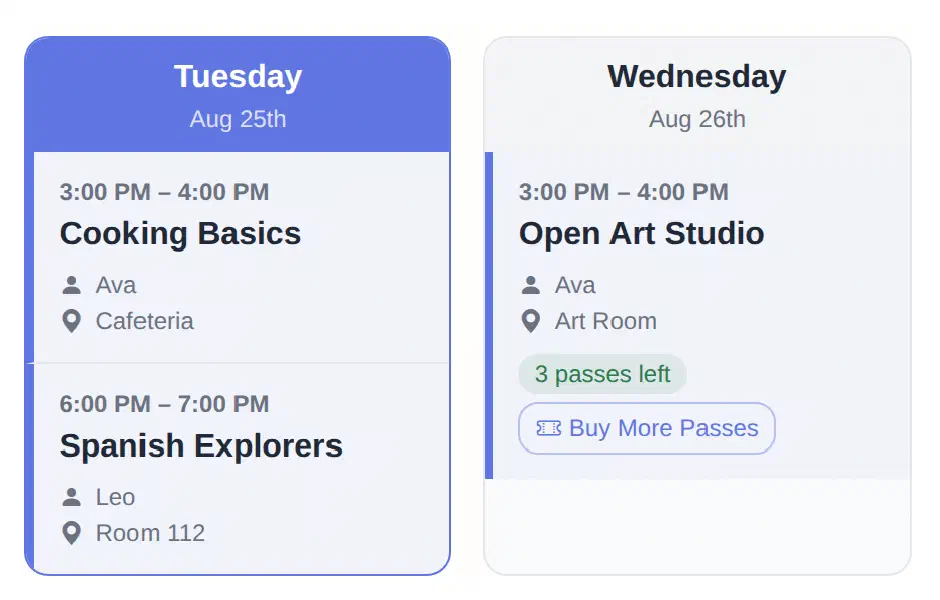
SwiftEnroll family schedule showing Tuesday and Wednesday columns with class times, rooms, instructors, and a class pass balance
Children walking into school with backpacks at the start of a session
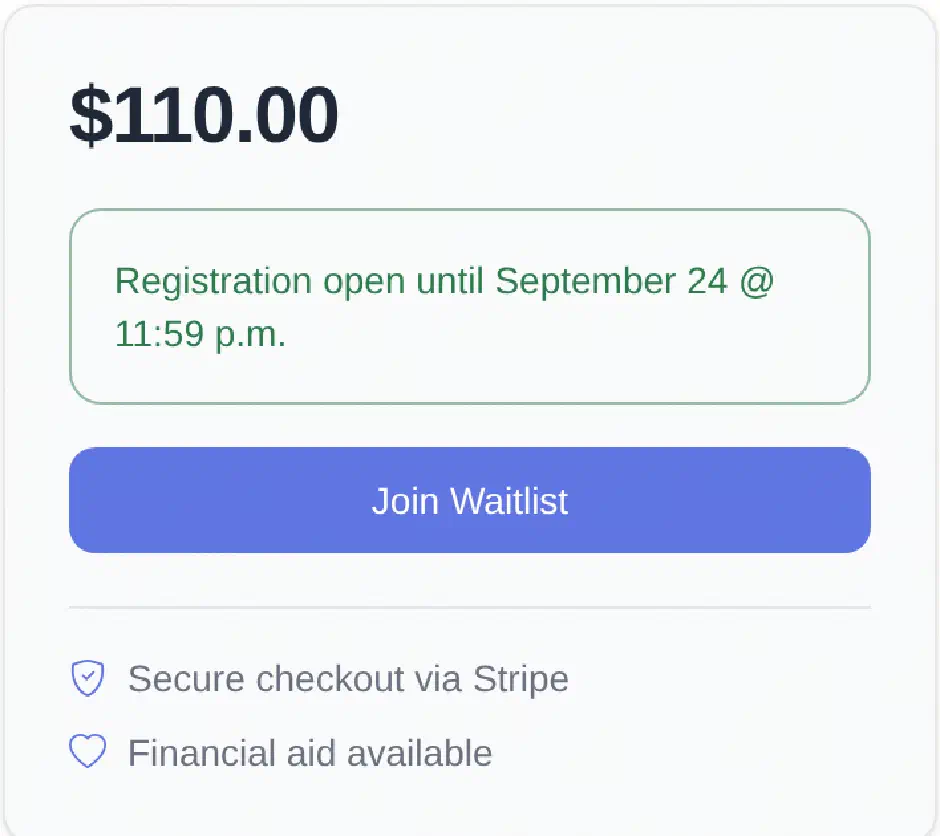
SwiftEnroll class registration panel showing the price, the registration deadline, a Join Waitlist button, and notes on secure Stripe checkout and financial aid
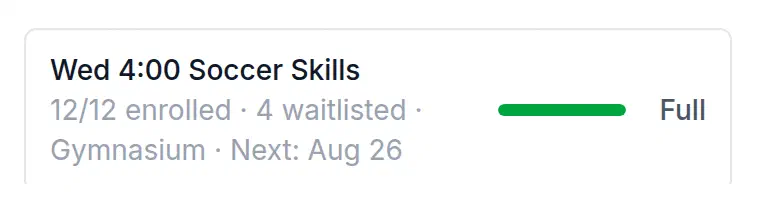
SwiftEnroll capacity meter showing a class at 12 of 12 enrolled with 4 waitlisted, marked Full

Fair Lotteries & Waitlists

Registration runs by your rules - first come, first served or a fair lottery - with grade and age eligibility and registration deadlines enforced at signup. Families who miss out join an ordered waitlist, see their position, and are promoted automatically when a spot opens.

  • Lottery or first-come, first-served
  • Ordered waitlists with visible position
  • Automatic promotion when a spot opens
  • Registration deadlines & financial aid requests
See Registration

Admin Tools & Reporting

Take attendance right from the roster, keep a record of every change, export rosters and enrollment reports as CSV, and let SwiftEnroll send the routine family emails for you.

  • Class rosters at a glance
  • Attendance with a change history
  • CSV exports & reports
  • Automated family email
Explore Operations
A program administrator working at a laptop
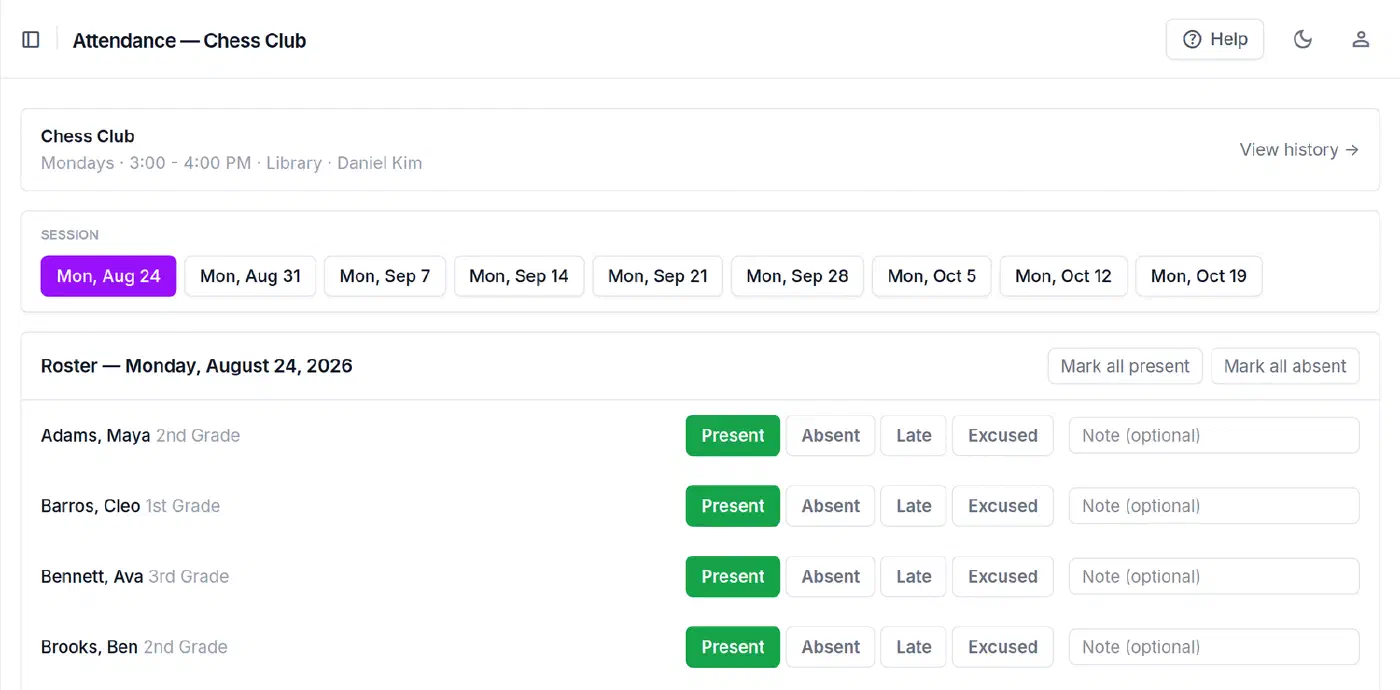
SwiftEnroll attendance roster for Chess Club showing each student marked Present, Absent, Late, or Excused for the selected session

From the blog

Practical guides for programs like yours.

Ready to simplify after-school enrollment?

See how SwiftEnroll makes after-school enrollment effortless for families and coordinators.

No credit card required Free for non-profits Up and running in days