How a Family Enrolls on SwiftEnroll
See exactly what parents see: the class catalogue, joining a waitlist, their position in line, every child in one account, and the week's schedule.
Screens from a demo program; names are made up.
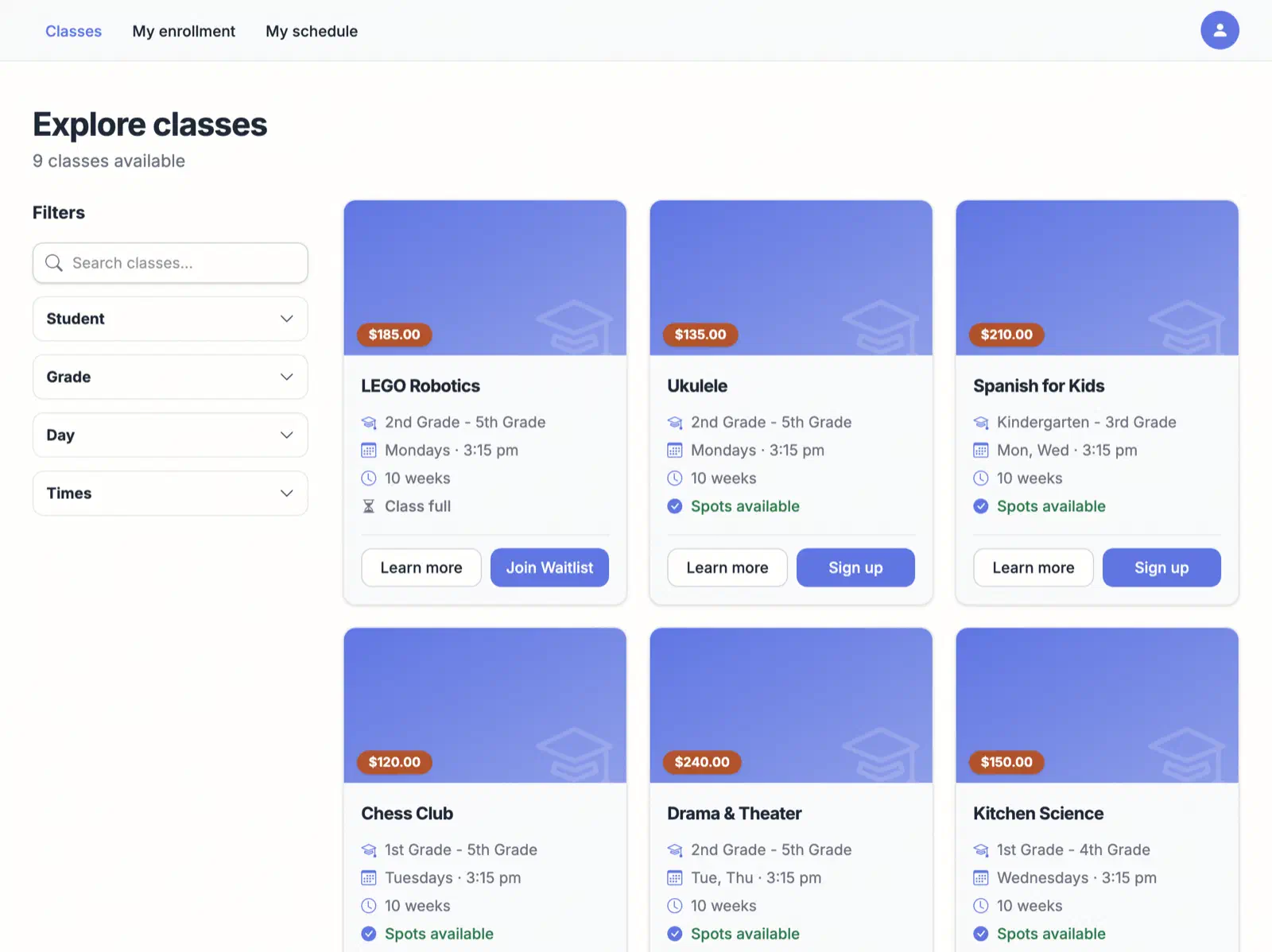
Browse the catalogue
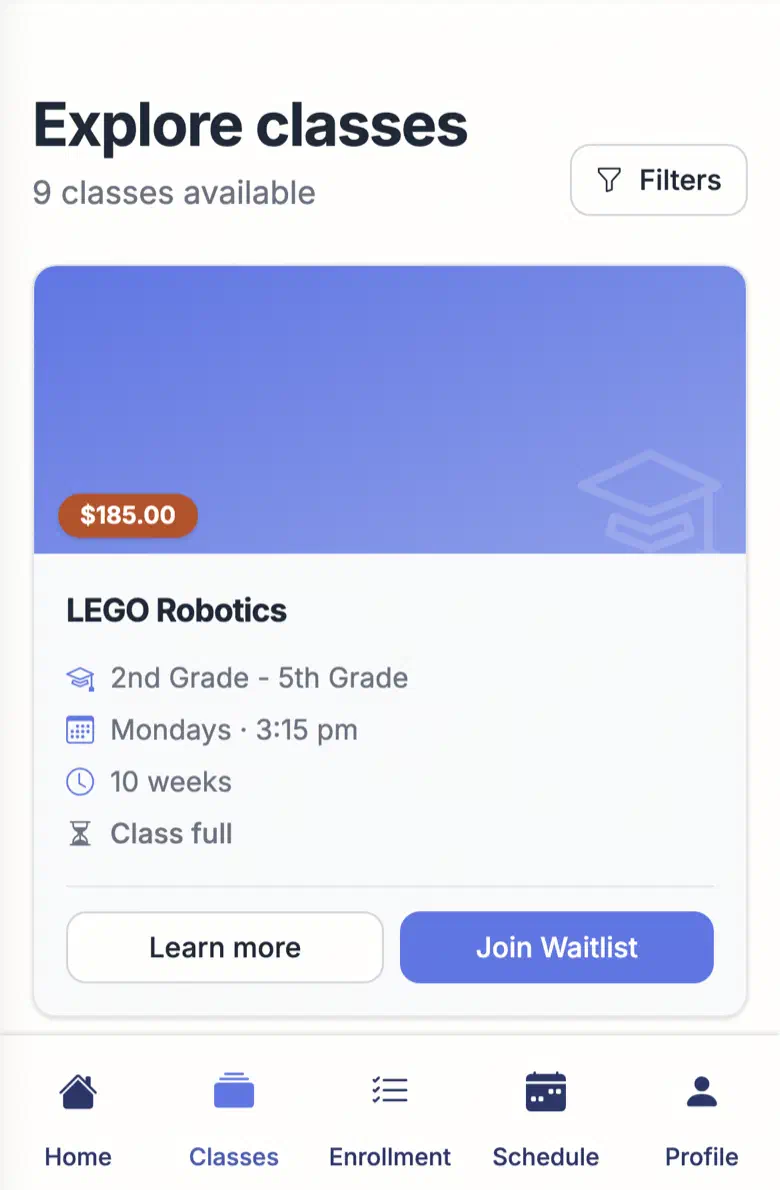
I can filter by student, grade, day and time, and every class card shows the price. Open classes say “Spots available”; a full one says “Class full” with a Join Waitlist button.
Ask for a spot, or join the waitlist
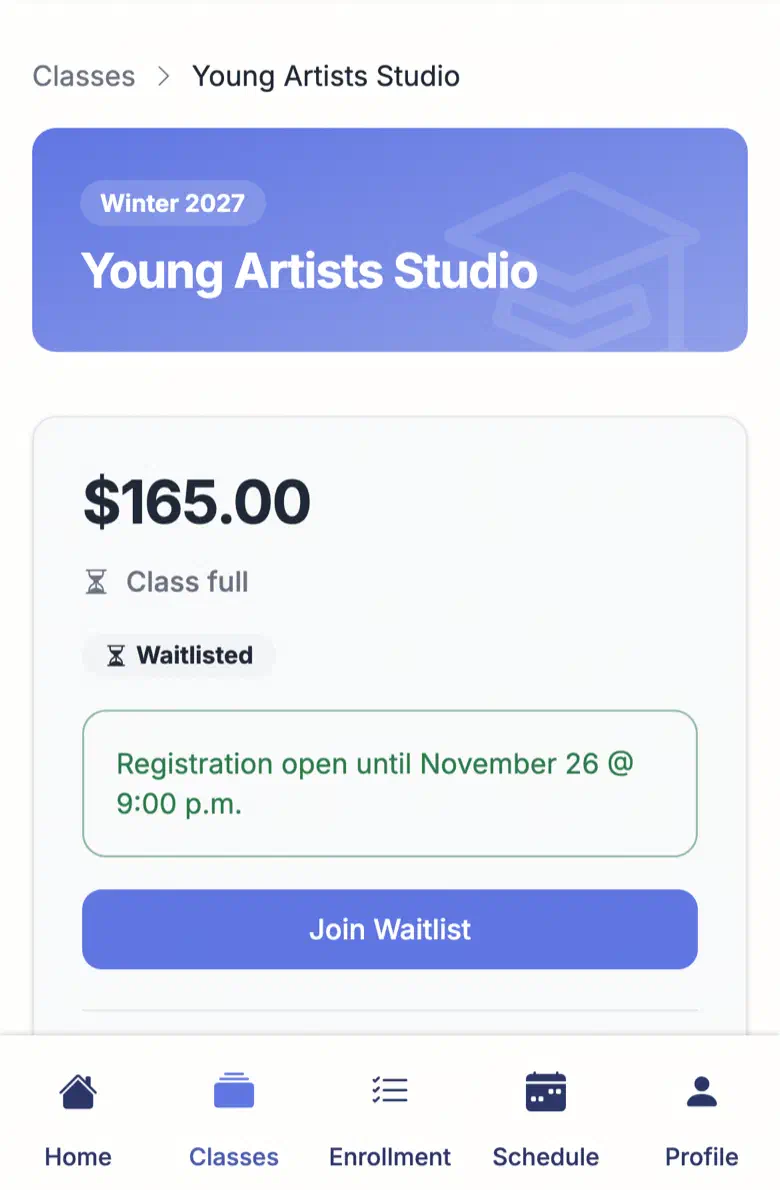
Each class page shows the price, whether the class is full, and how long registration stays open. When it is full, I join the waitlist from the same page.
See exactly where you stand
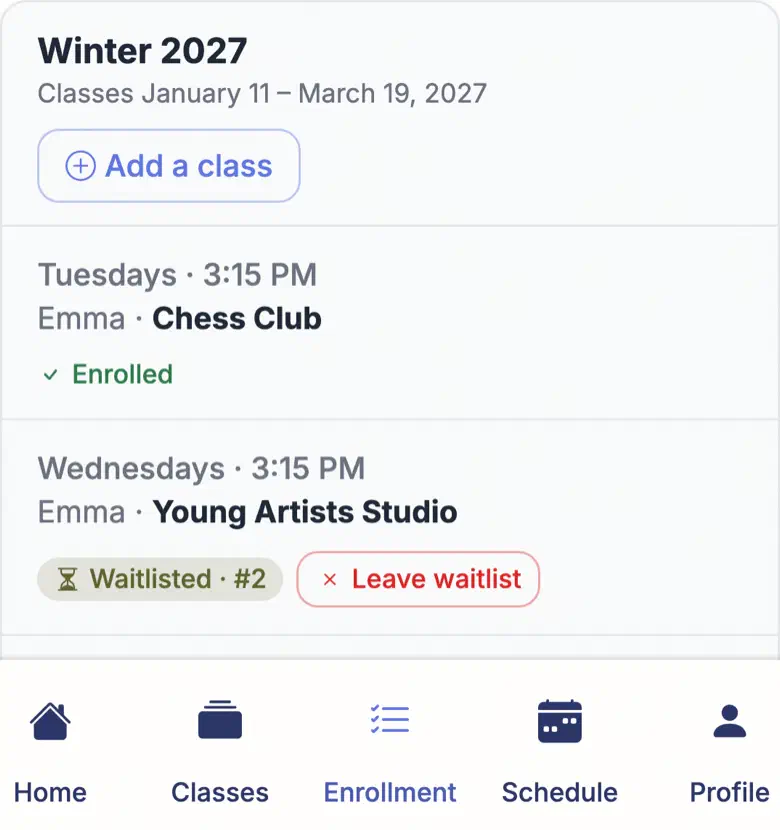
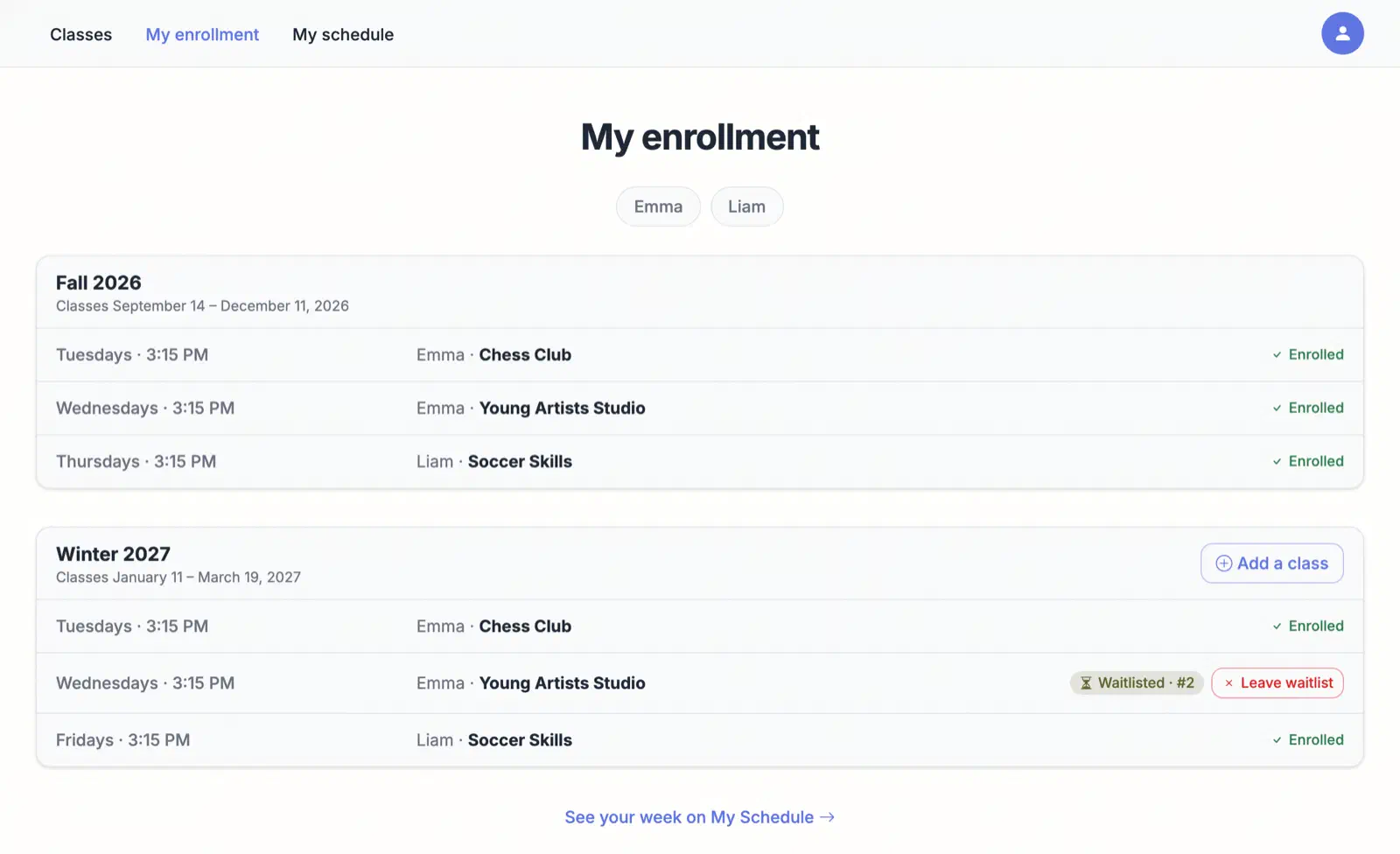
Emma’s waitlist spot, #2 for Young Artists Studio, sits right next to the classes she’s already enrolled in. If our plans change, I can leave the waitlist myself.

Every child, one account
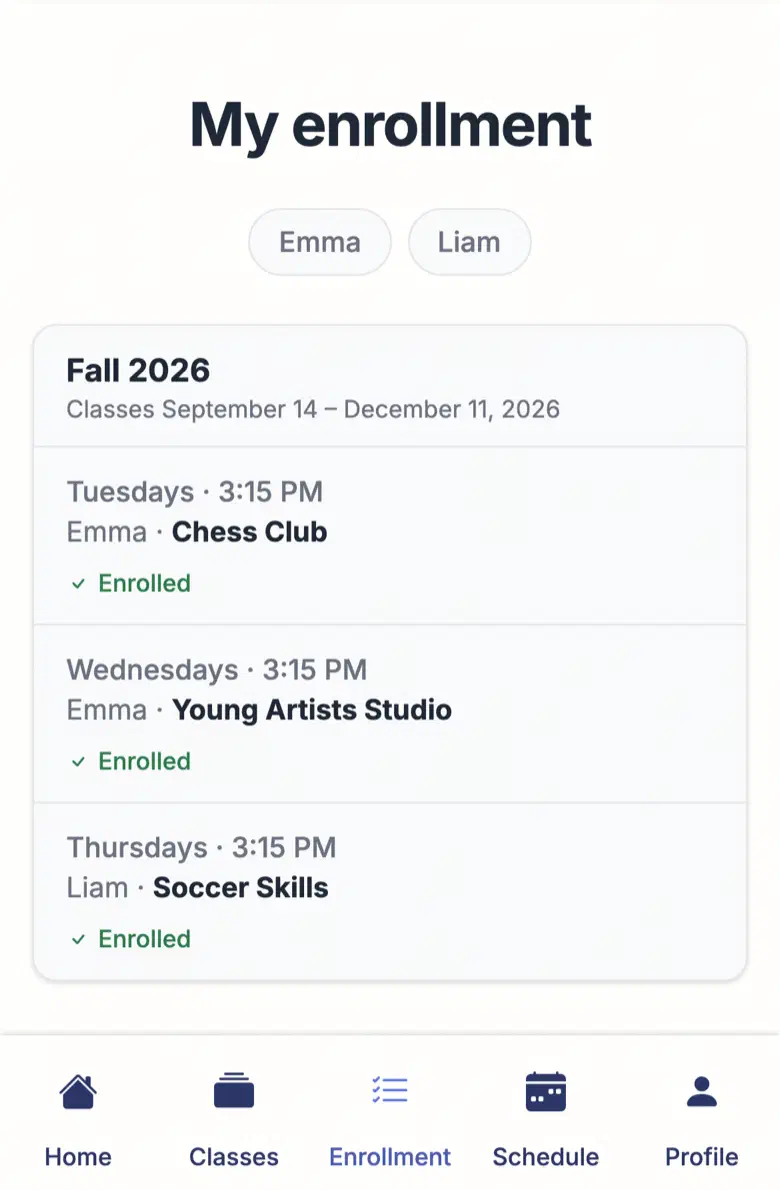
Emma and Liam are on one account, with Fall and Winter on the same page. When I want another class for the term, Add a class is right there.
Your family's week
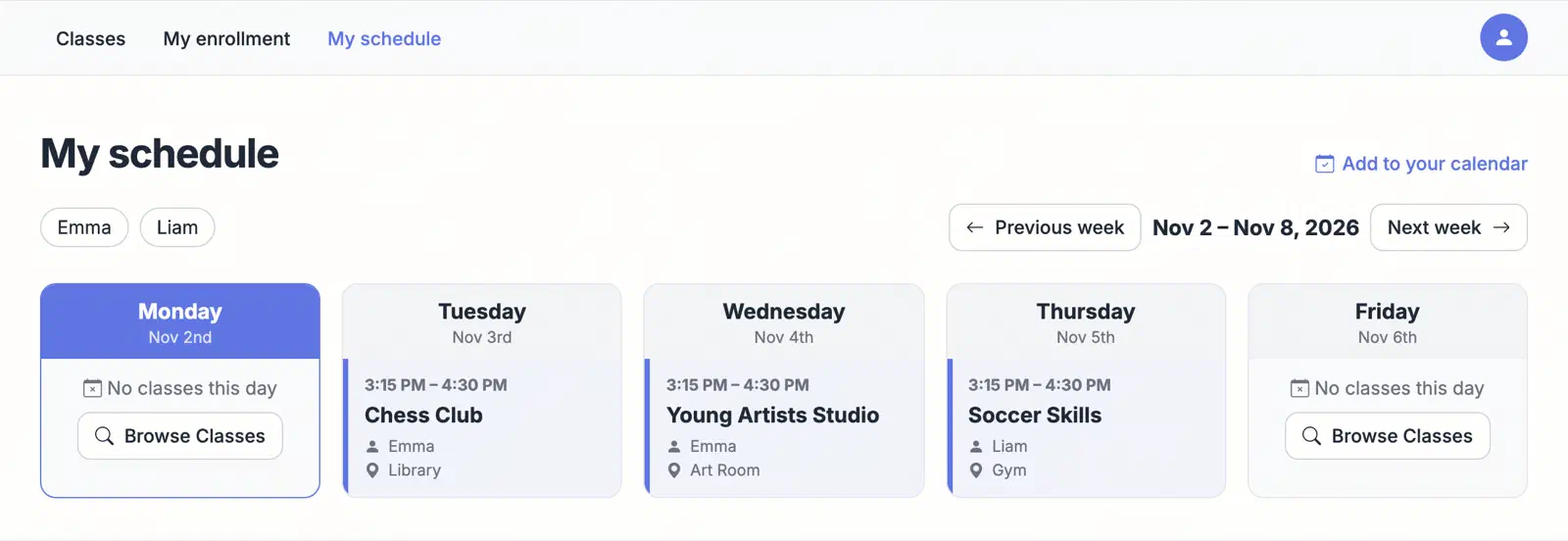
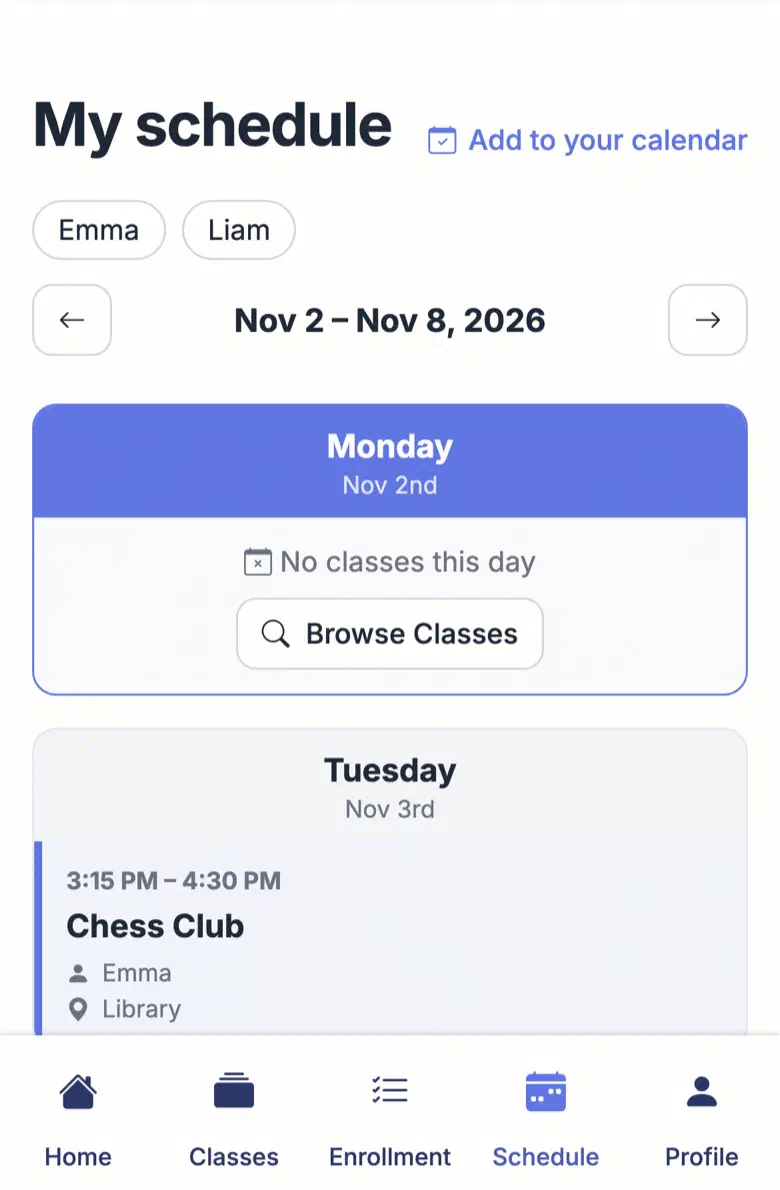
My schedule shows both kids’ classes by day, with the time, the room and which child is going. I can add it to my calendar, too.
What the coordinator sees
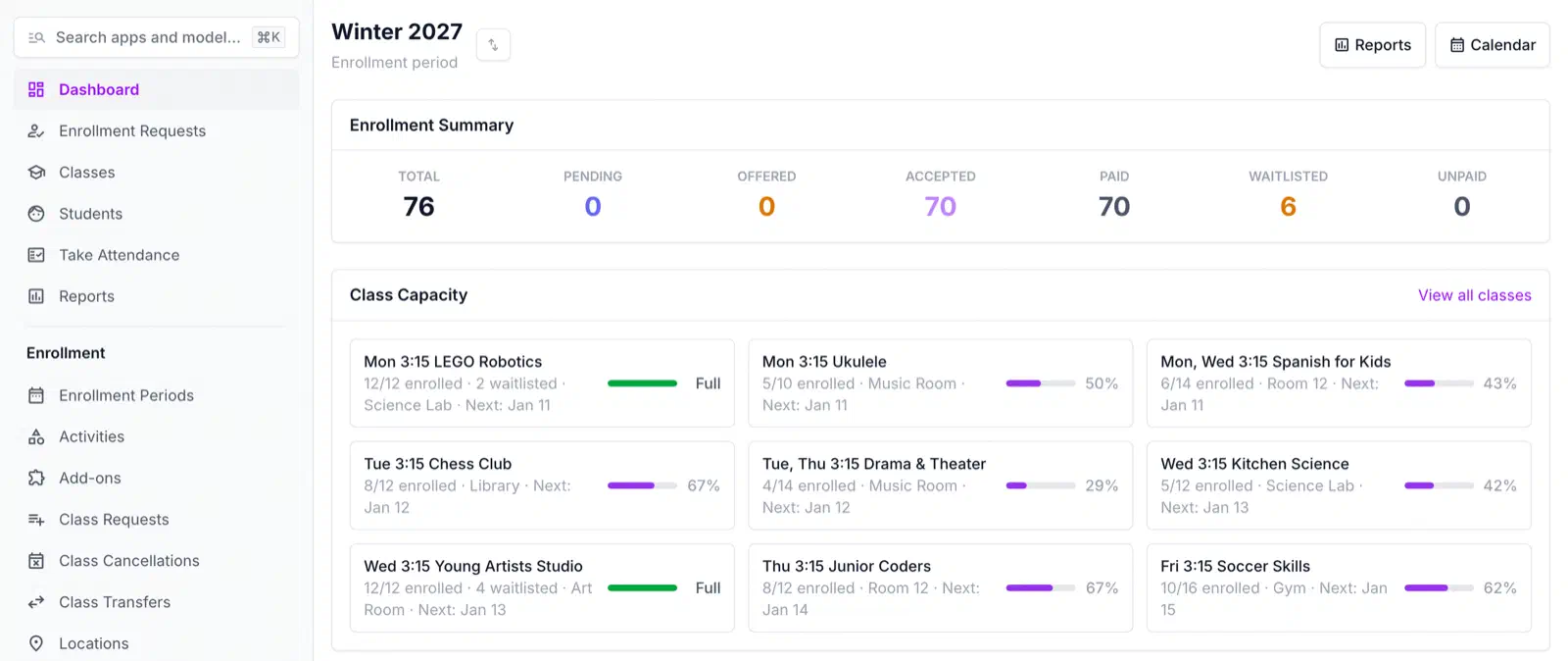
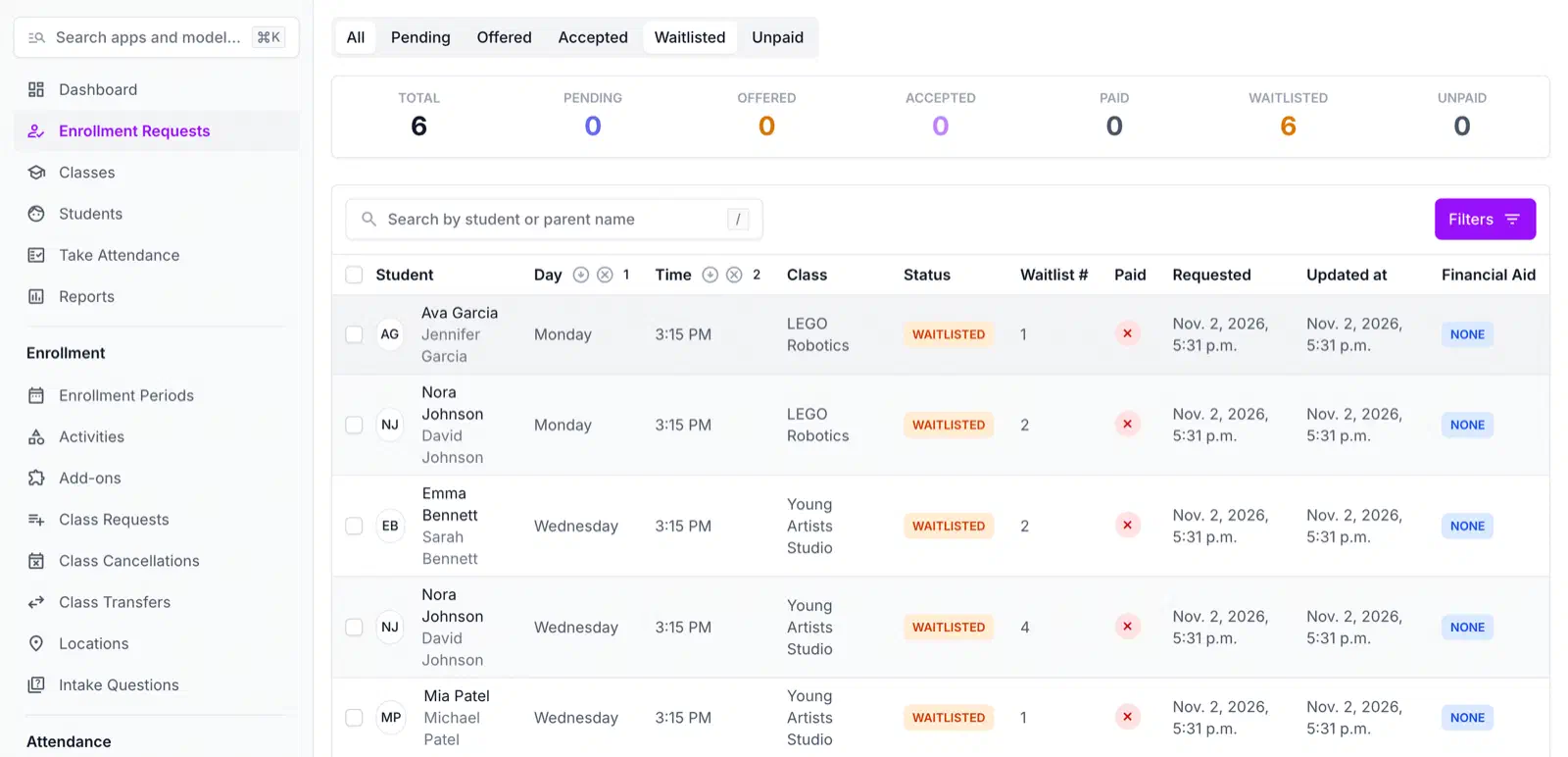
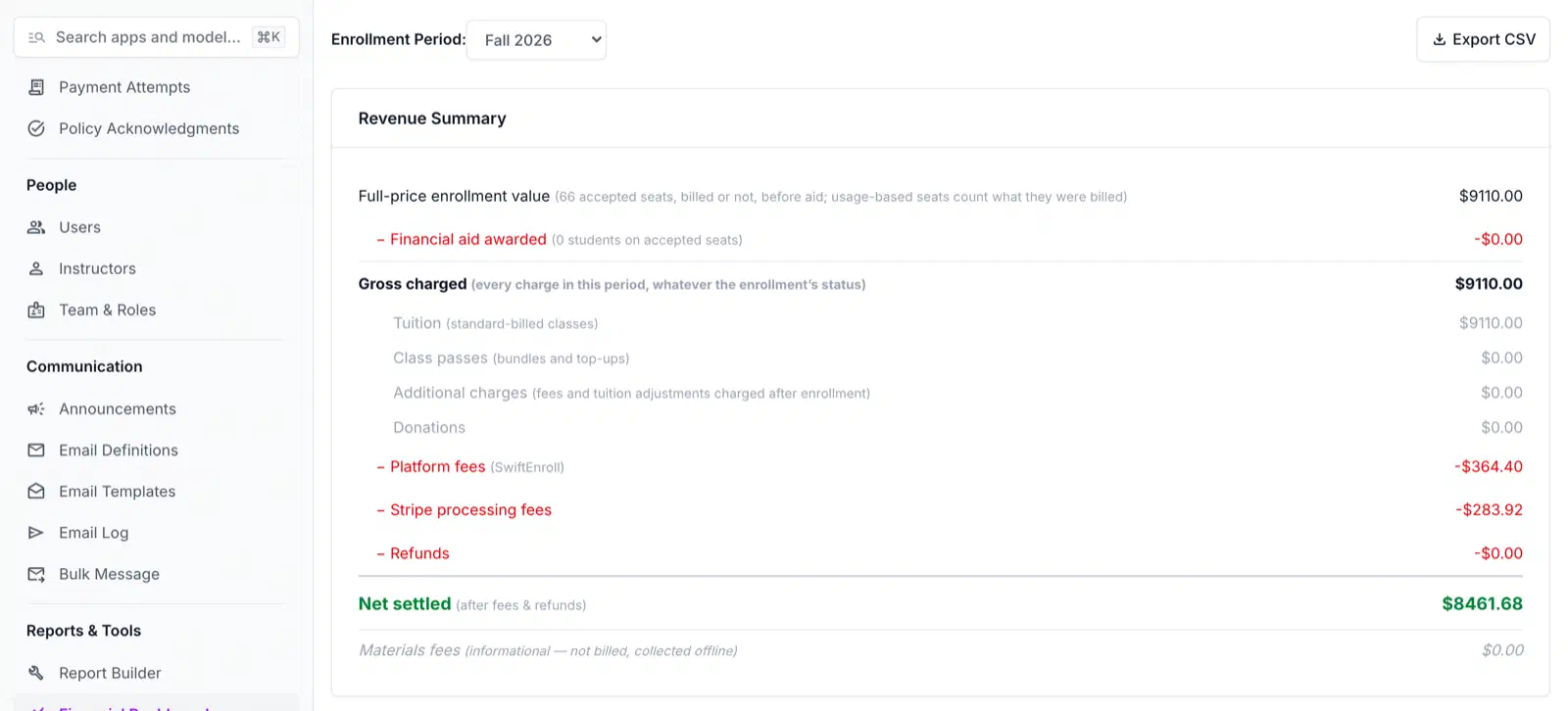
Every request a family makes lands in the program’s admin. See how a season runs.
See SwiftEnroll in action
Request a quick walkthrough tailored to your programs.
You're all set!
We'll be in touch within 24 hours to schedule your personalized demo.
In the meantime, explore our features or read our blog.
See your next season on SwiftEnroll
Twenty minutes with Joe, your real class list, no slides.